SchoolPortal: Simplifying school selection for students and parents
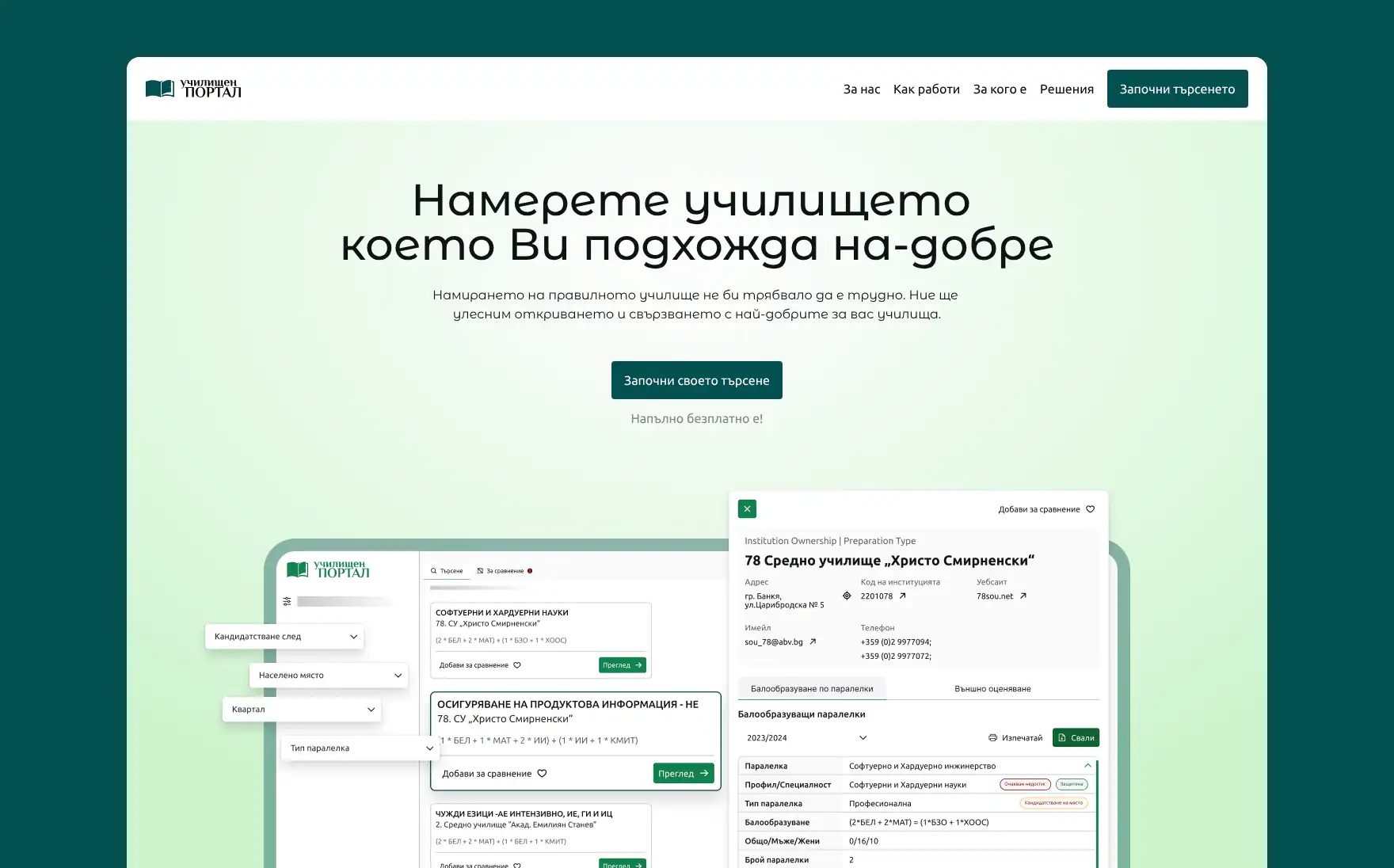
Year
2024
My role
Product Designer
Timeline
12 months
Team
Me, project manager, product owner, developers
The challenge
Parents and students who are looking into finding schools must go through a complicated and time-consuming process to gather information that is scattered across multiple sources, making it nearly impossible to compare different aspects of schools to make informed decisions about their educational future.
Why this matters?
The current educational system does not have a single once stop place to provide any up-to-date information about each institution, exam requirements, performance data, extracurricular activities or any academic growth metrics over the past 4 to 5 years.
Research and ideation
Discovery
We began by trying to understand the core challenge: students and parents struggling to find the right school due to lack of, or scattered and unorganized information across multiple resources.
Through competitive analysis, we did not found platforms that can achieve these goals. Most of the platforms focused on rankings without context, or providing a lot of data (or lacking one) without a way to gather and compare.
Research
To validate our assumptions, we conducted one-on-one interviews with participants from various age groups, both looking for a new school or university to go into, and parents trying to find the best education for their graduates.
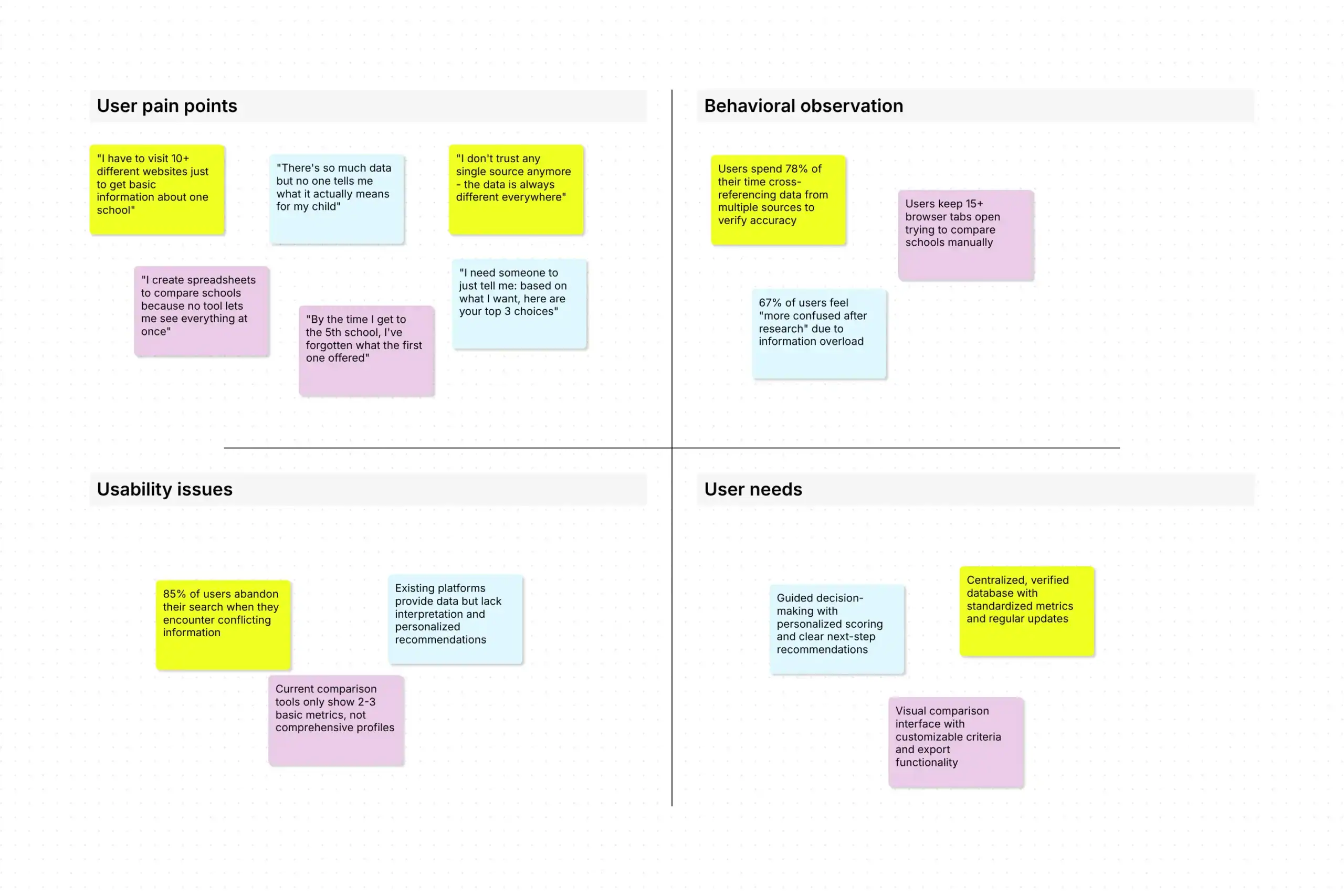
The primary goal of this research was to understand what their selection process was. From these interviews, and with the help of affinity mapping, we found three major pain-points:
- Lack of information – There is no one-stop destination for all school data
- Difficult for comparison – The option to have a side-by-side analysis capabilities
- Scares information sources – Have a clear, actionable insights to guide user choices
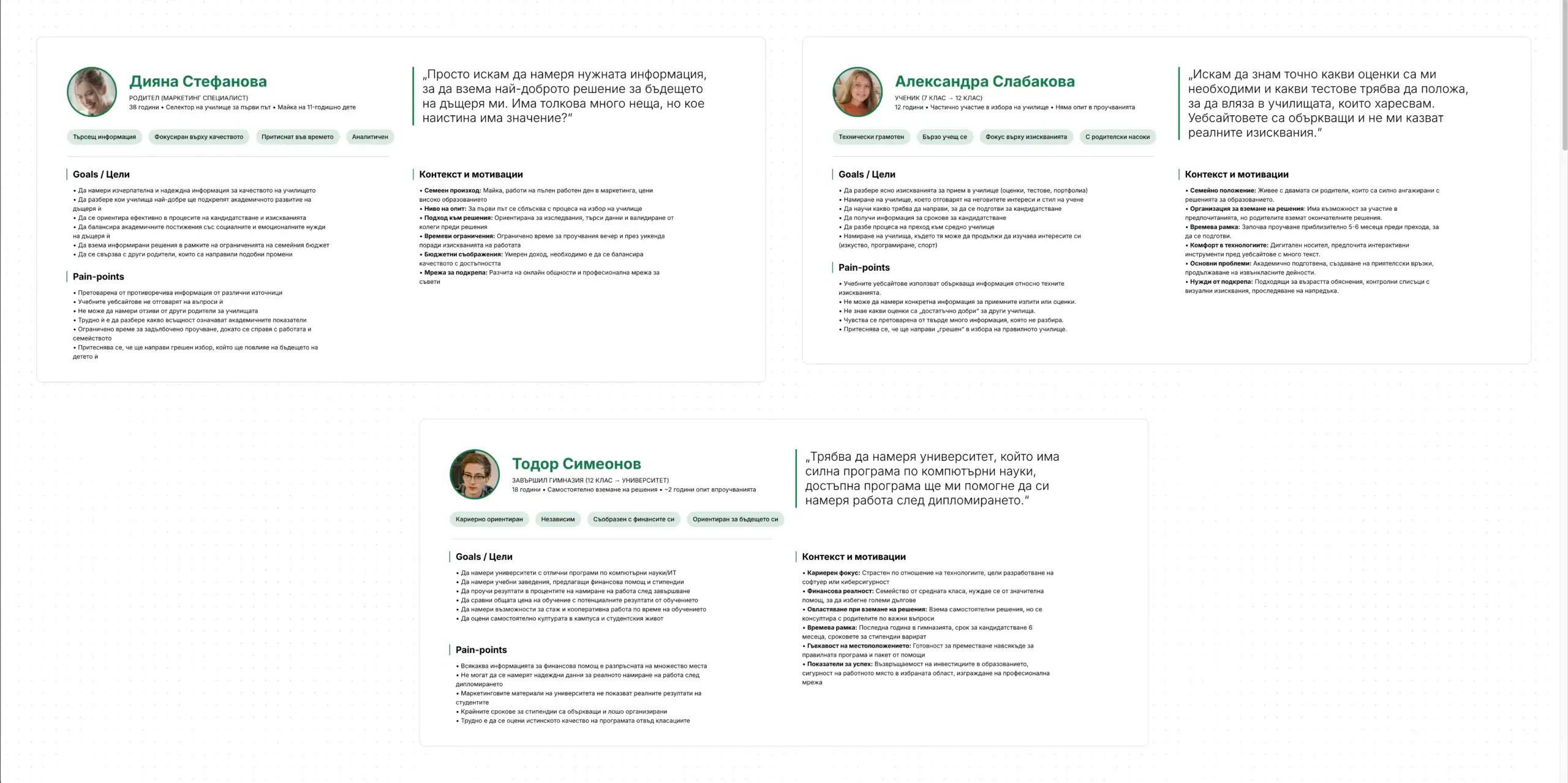
On these research findings, we created user personas to will better empathize with our users and make sure our solutions will address their specific needs and contexts.
Methodology
We used a combination of design thinking, lean UX, and agile development methodologies in this project. This allowed us to balance the user-centered design principles with efficient concepts and iterative product development.
Design process
Feature ideation
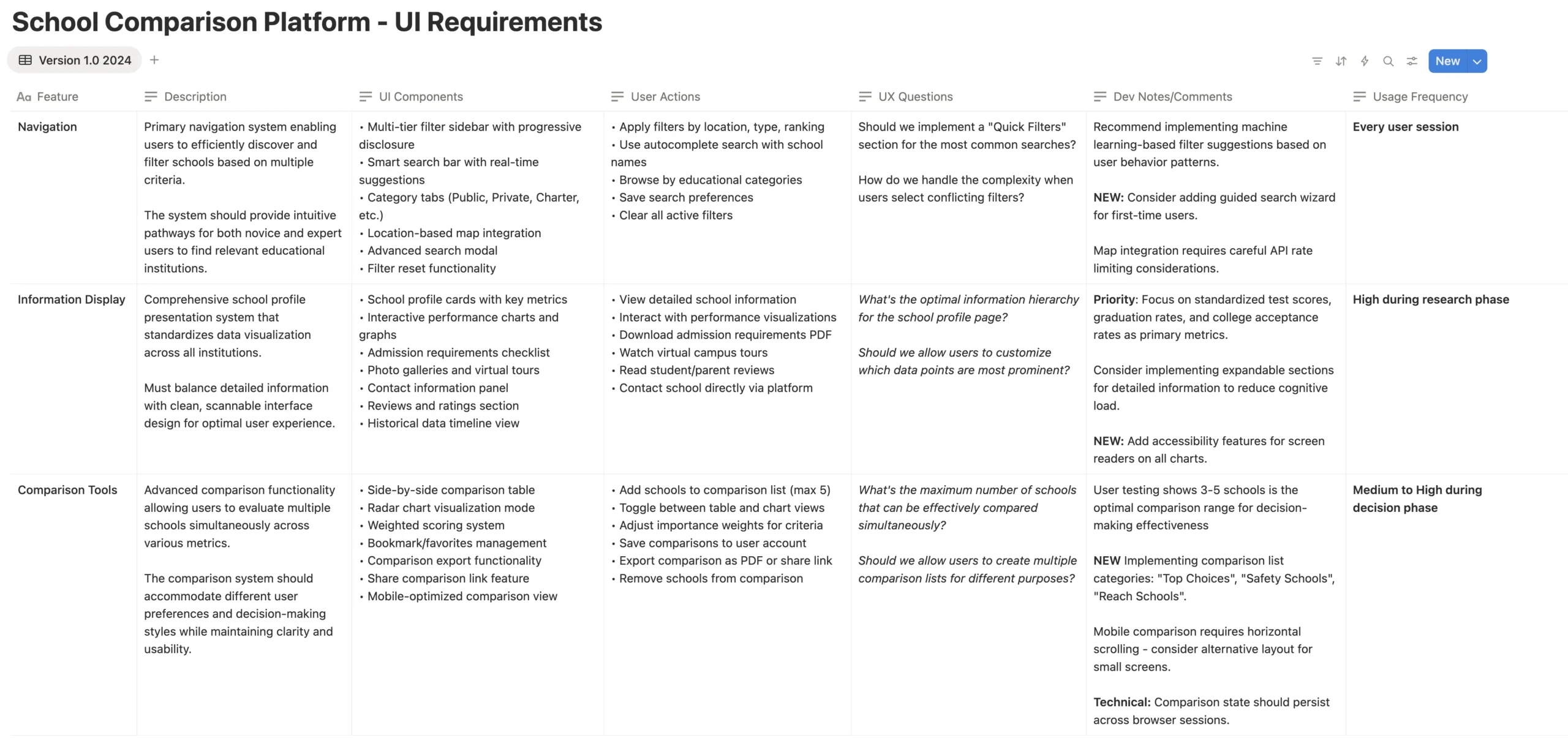
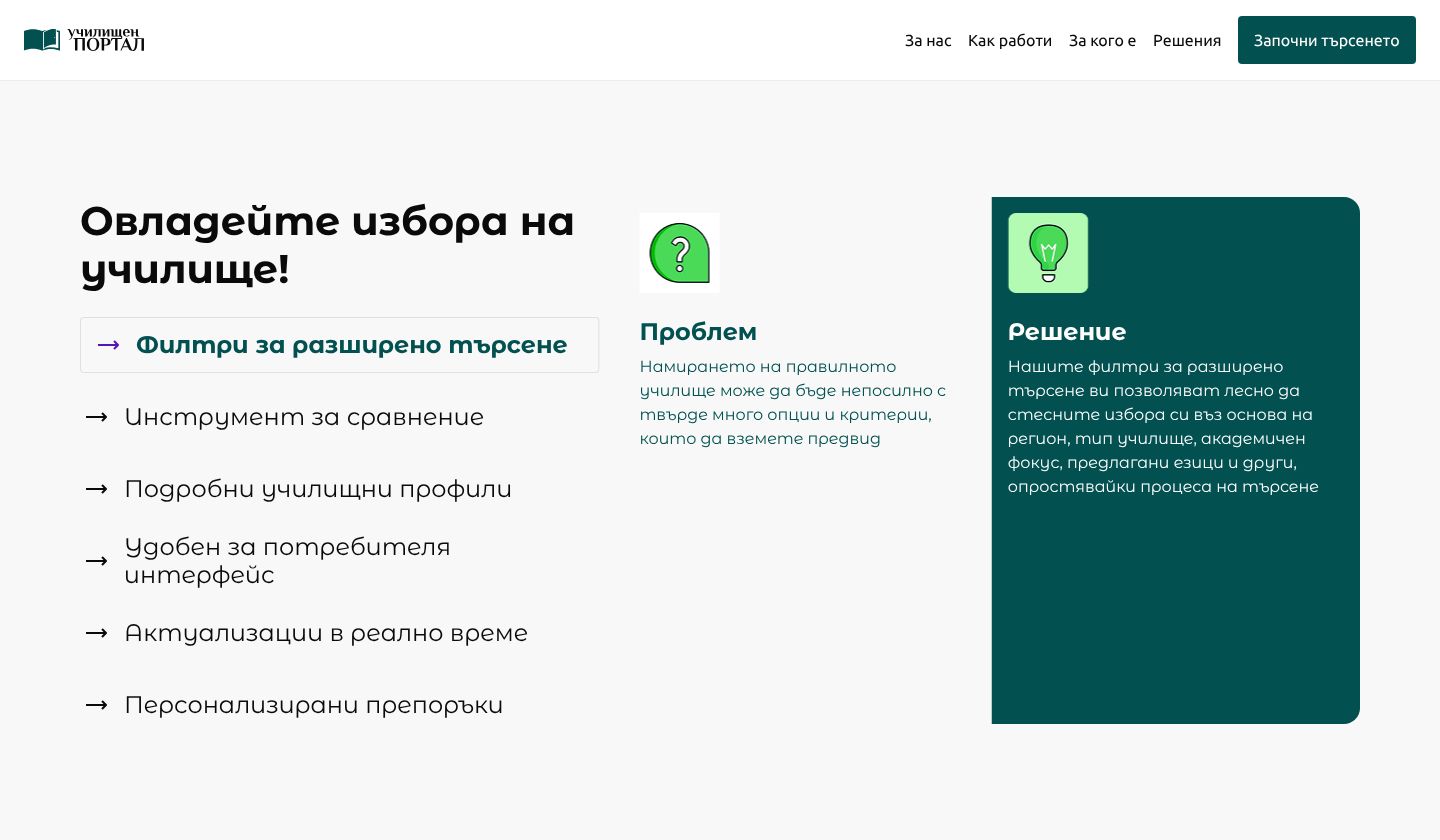
I explored various solution that might help us address each pain point. At the end we ended up using just several design solutions:
Design solutions
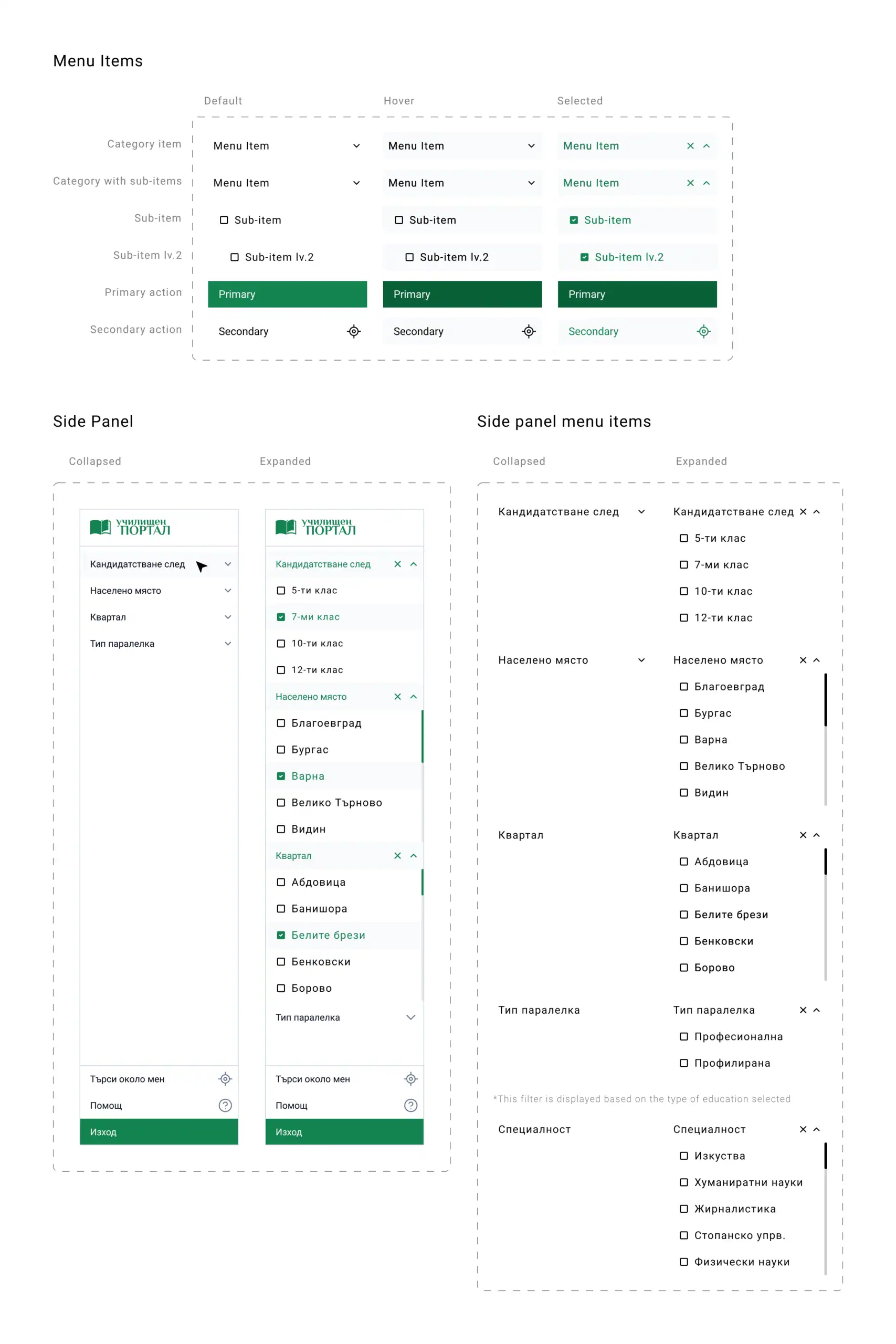
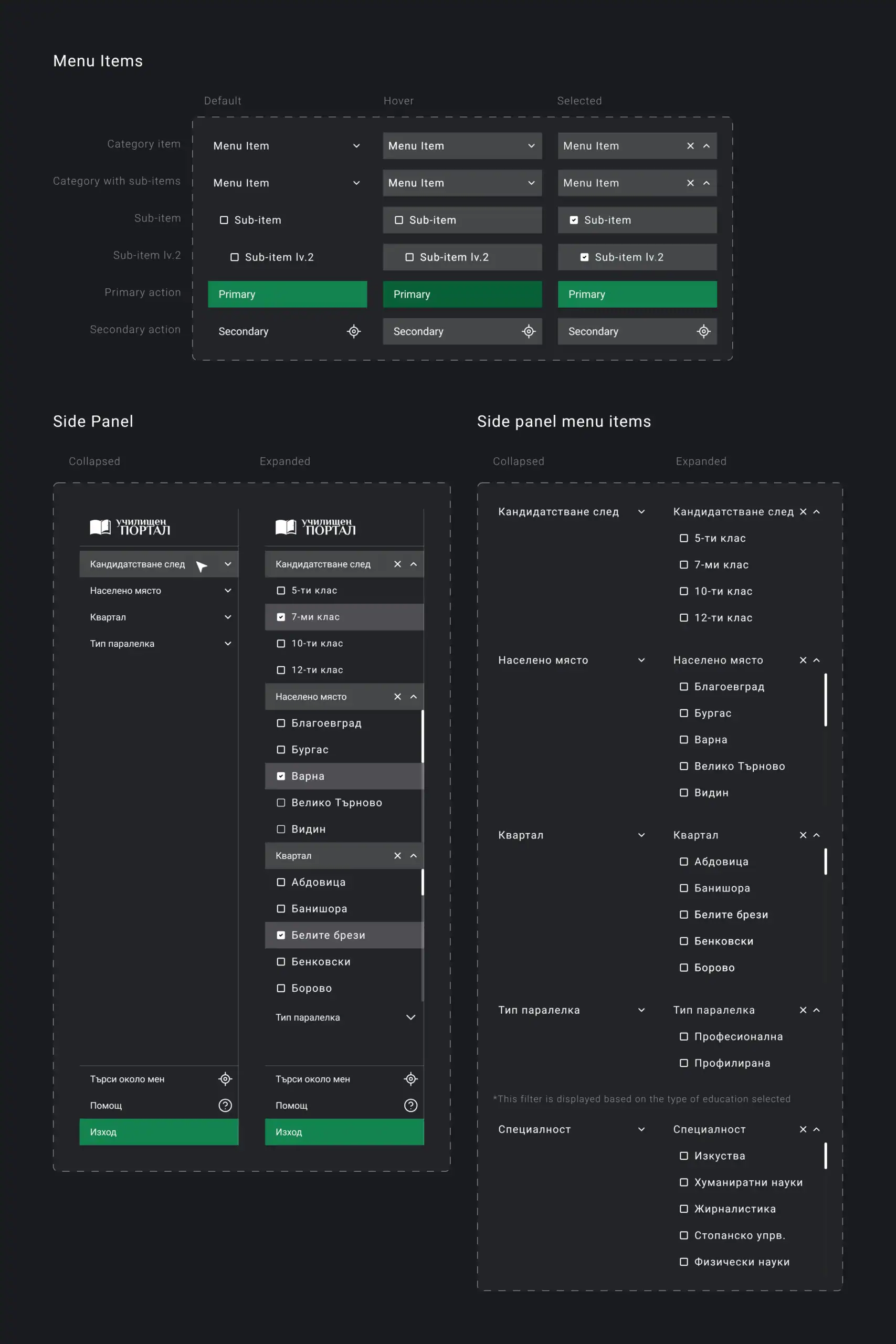
Navigation system
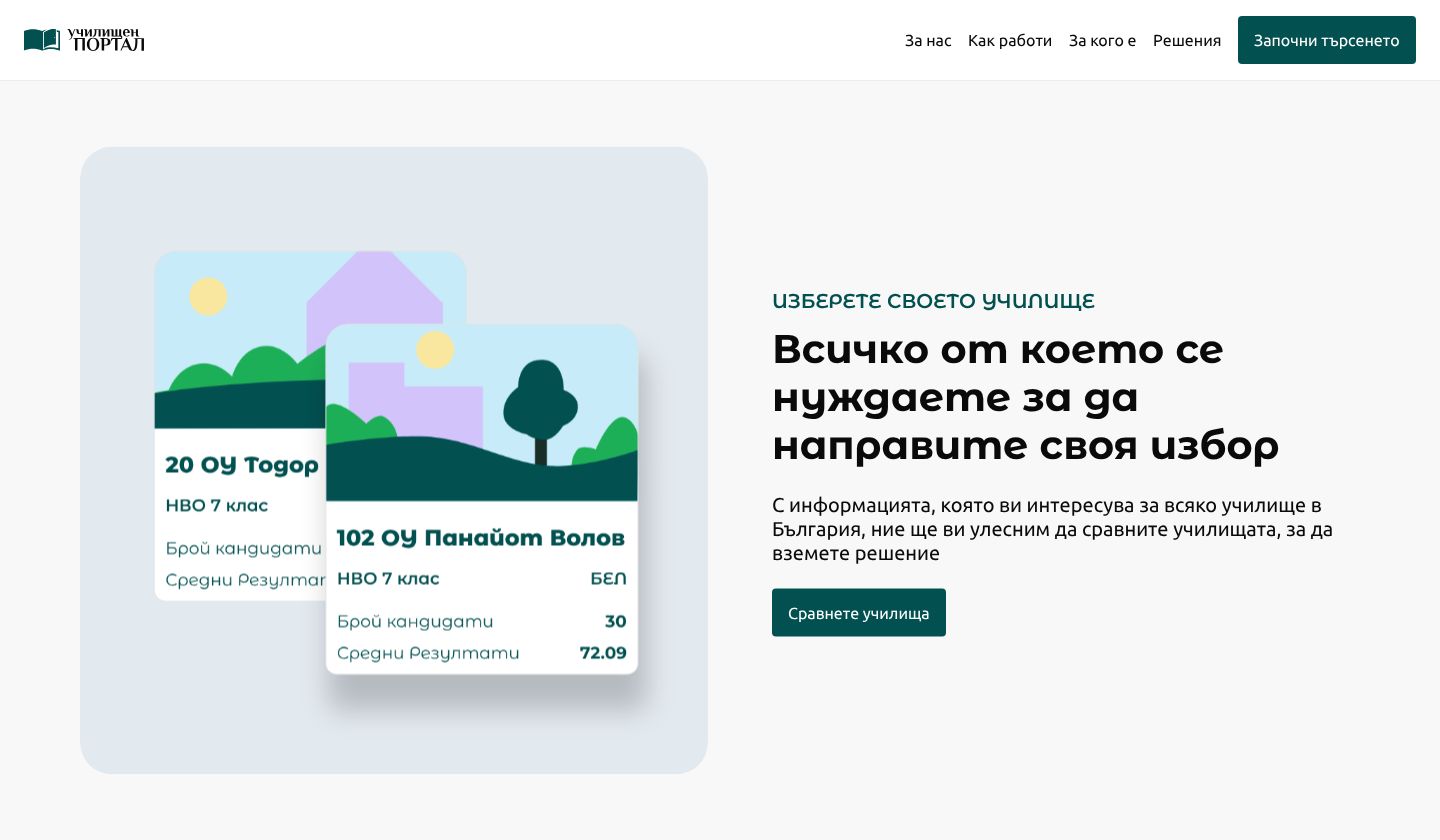
A multi level design system with smart select options that guides the users through their search journey without overwhelming them.
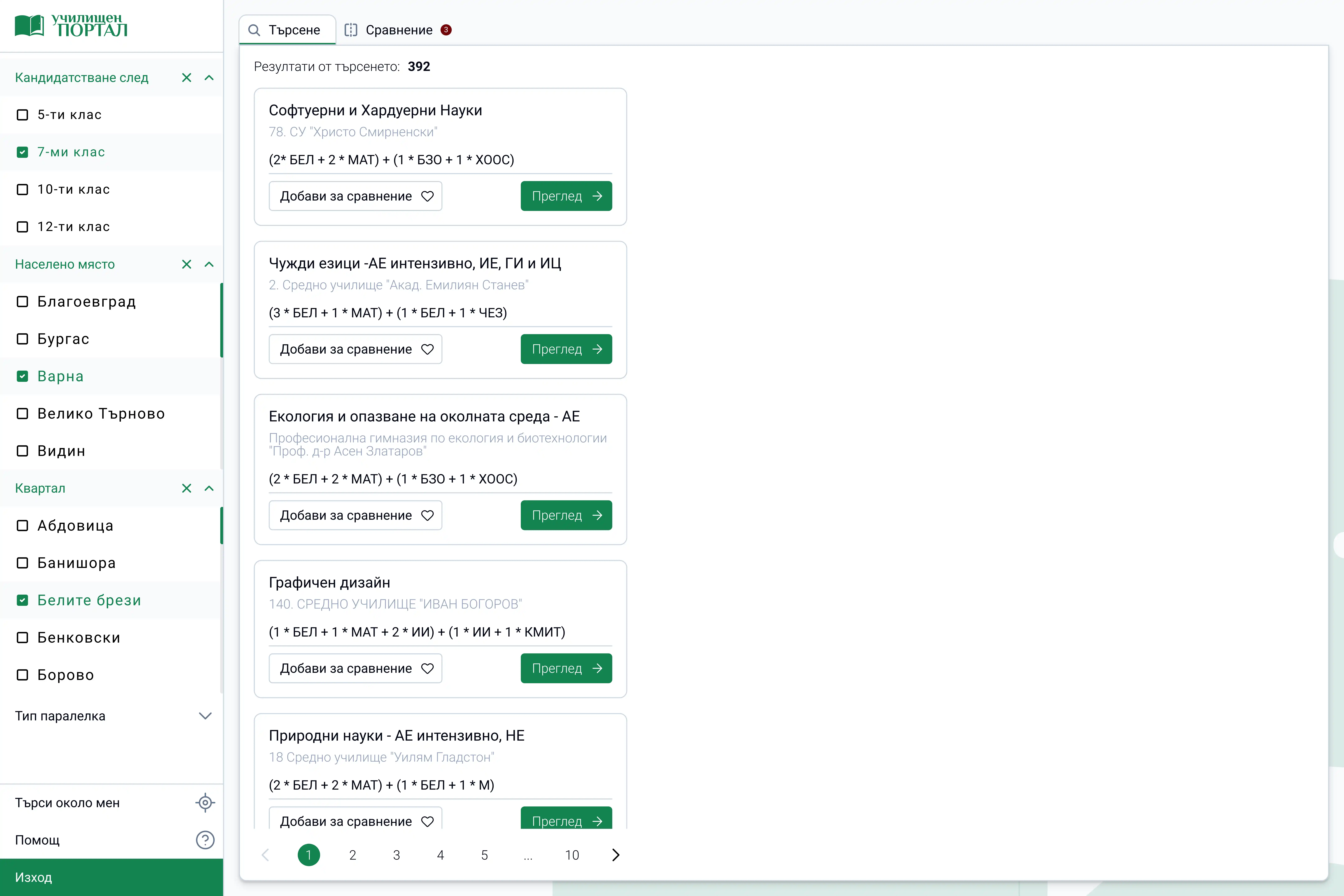
Intelligent search results
Created a results display system that shows schools based on user selected criteria, with visual hierarchy and essential information.Key validation.
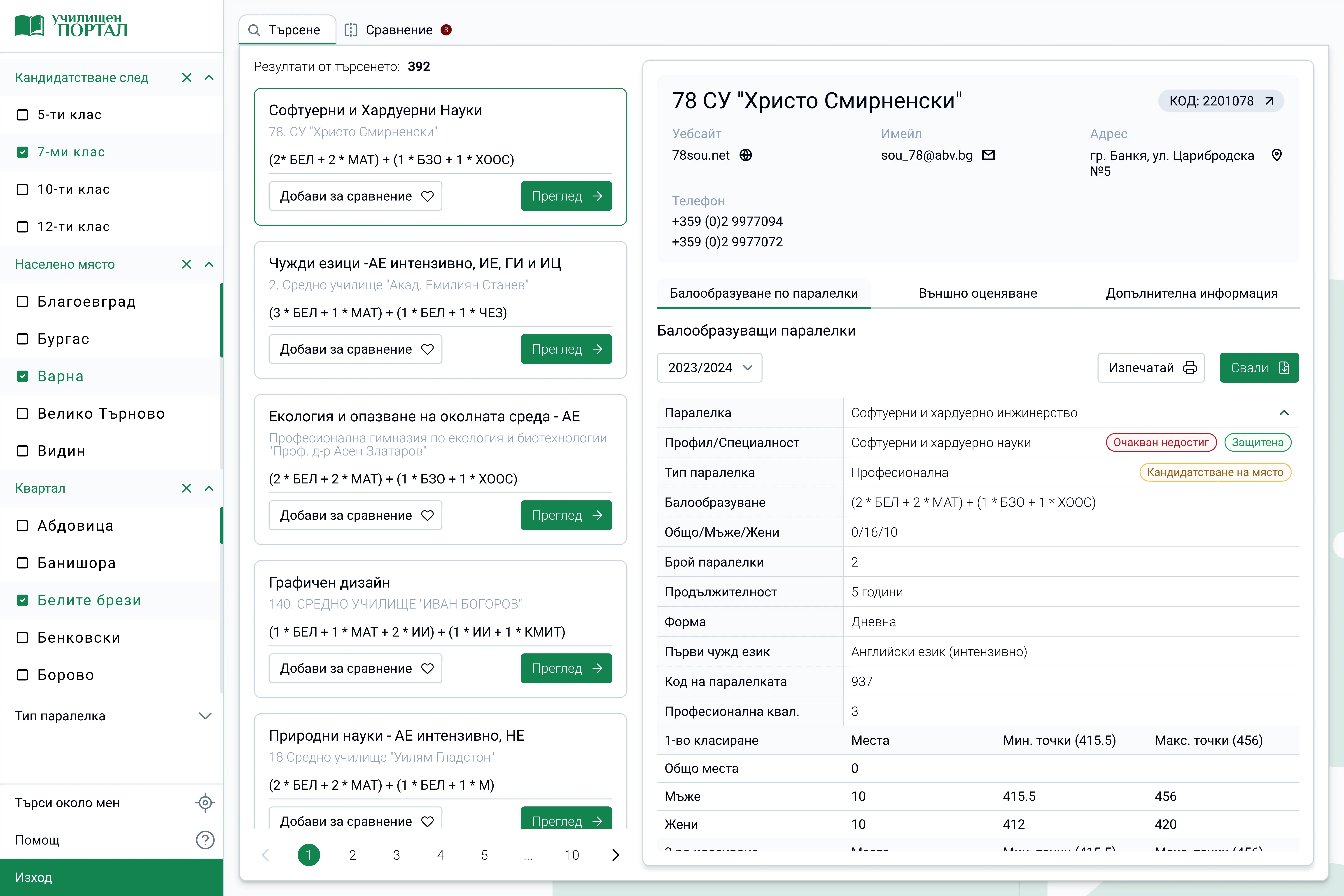
Detailed school profiles
Detailed school pages that provide all the necessary information a user might need, from admission requirements and deadlines, historical academic performance, extracurricular programs, faculty information, campus facilities, etc.
Dual comparison system
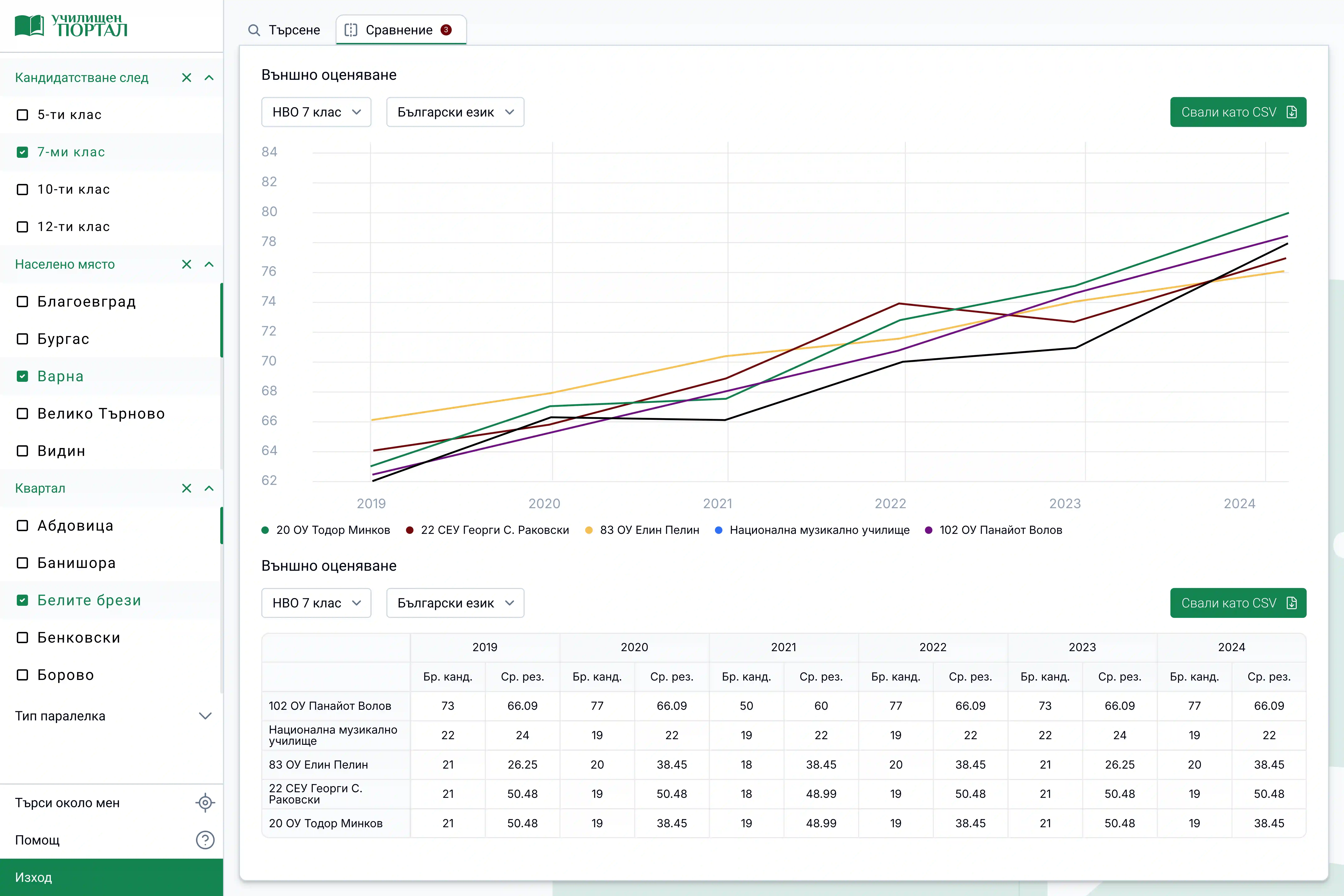
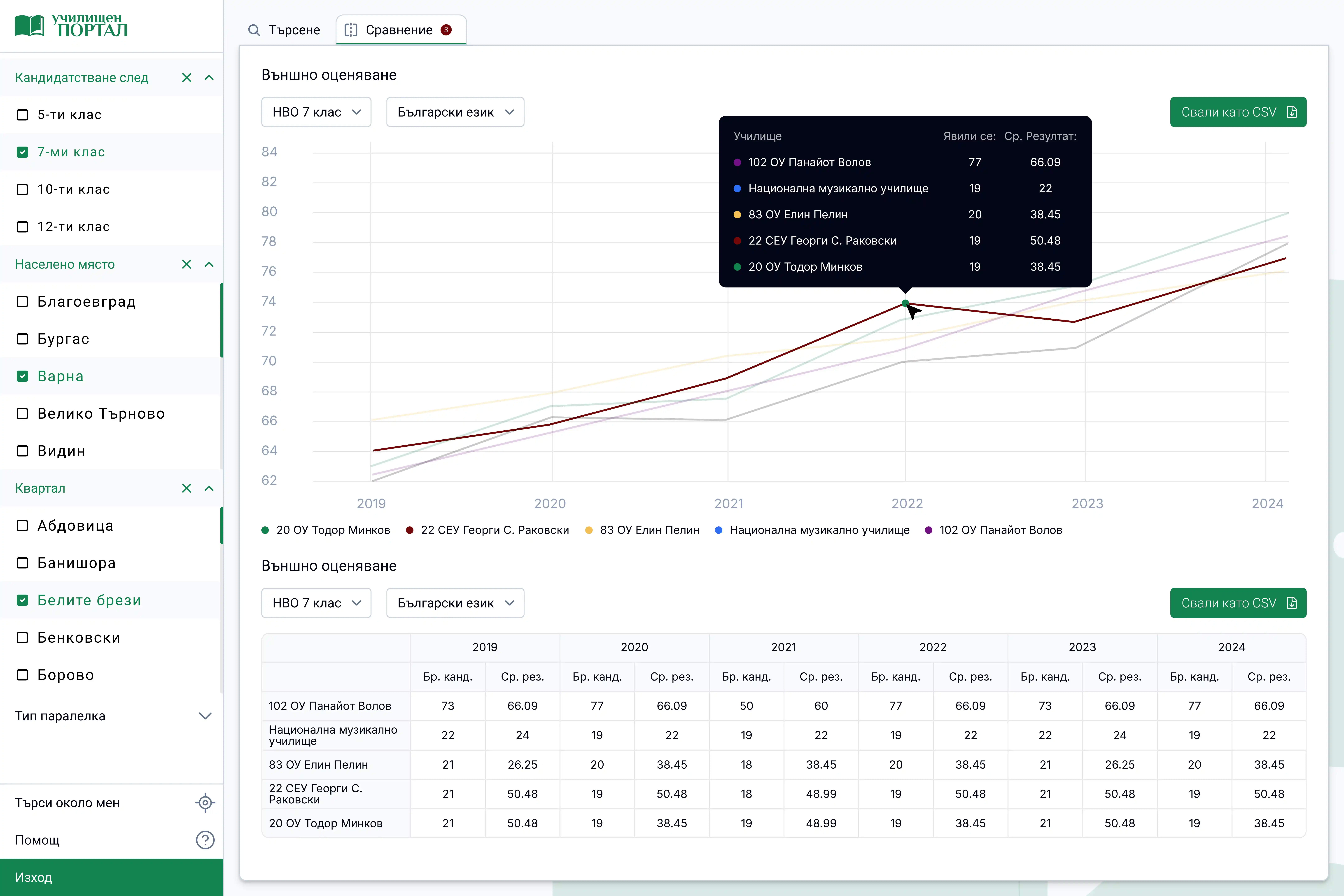
To recognize different user preferences, we designed two comparison modes, a graph view with detailed visuals for users who want more complex data analysis, and a simplified table view, clean, easy-to-scan comparison with necessary metrics.
Mobile-first challenge
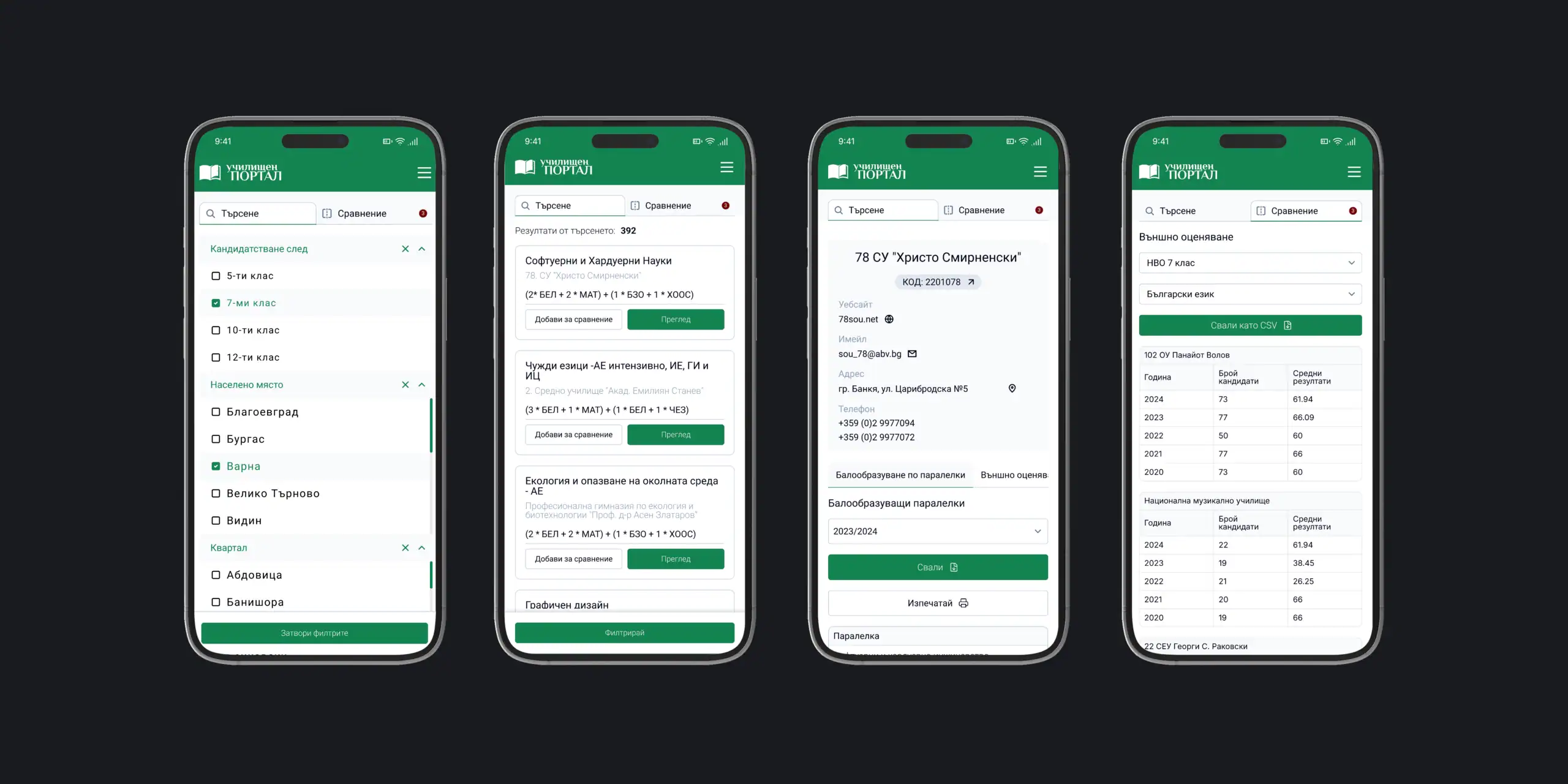
The biggest challenge was to adapt this information dense experience form mobile devices. So how did we do this? We ended up developing:
- Progressive disclosure of information
- Collapsable section with defined hierarchy
- Optimized touch interactions
- Simplified comparison flow for smaller screens
Reflection and learnings
What worked well
The research phase provided good insights that directly shaped my design decisions and feature prioritization. With a more progressive strategy, the display of all filters significantly improved the user task completion, and the dual solution design like the tools that can compare both complex and simple data, made sure that we do not force the “one-size-fits-all” approach.
Challenges to overcome
Created a results display system that shows schools based on user selected criteria, with visual hierarchy and essential information.Key validation.
What I would do differently
I hade two questions in mind, should I go with the “mobile-first” design, and should I do more frequent checkins with stakeholders and institutions during the design phase?
Yes definitely! Having in mind the mobile first approach might help me structure complex and big data more efficiently. And keeping up with stakeholders and institutions can help me visually structure this data.
Dual comparison system
I hade two questions in mind, should I go with the “mobile-first” design, and should I do more frequent checkins with stakeholders and institutions during the design phase?
Yes definitely! Having in mind the mobile first approach might help me structure complex and big data more efficiently. And keeping up with stakeholders and institutions can help me visually structure this data.
Reflection and learnings
After the launch, we will keep in mind several things:
- User behavior – we will track and analyze the user behavior in order to optimize the search and comparison flows.
- Testing – we will do a A/B testing with different comparison interfaces to determine an optimal design.
- Expand the filtering capabilities
- Integrate user-generated content like reviews and ratings.
This case study demonstrates my ability to solve complex information challenges while trying to be focused on the users and their needs. School Portal showcases my skills in UX/UI design for designing complex interfaces.
All discussions are kept strictly confidential. Perfect for agencies, startups, and companies in regulated industries who understand the importance of discretion.